Built by a contractor. For the work you actually do.
Keep the measurements and the agreement in reach.
From a built-in to a deck, keep the site notes, scope, selected materials and changes together. Build the proposal, organize the work and finish with a clear approval and payment record.
14 days free. Cancel anytime.

The work on site
Keep the measurements with the room.
Read measurement notes from an image, review the extracted values and keep the measurement record with the job. This helps with transcription; it does not replace measuring the site.
Put the trades in the right order.
Work with trade-specific phases, tasks and Gantt schedules. AI can suggest sequencing and flag scheduling conflicts for review, while crews record their time against the work.
Finish the punch list. Keep the history.
Keep punch items, photos and completion acceptance with the project. If a warranty call comes later, log it against that job and ask AI to assess it against your recorded terms before you decide.
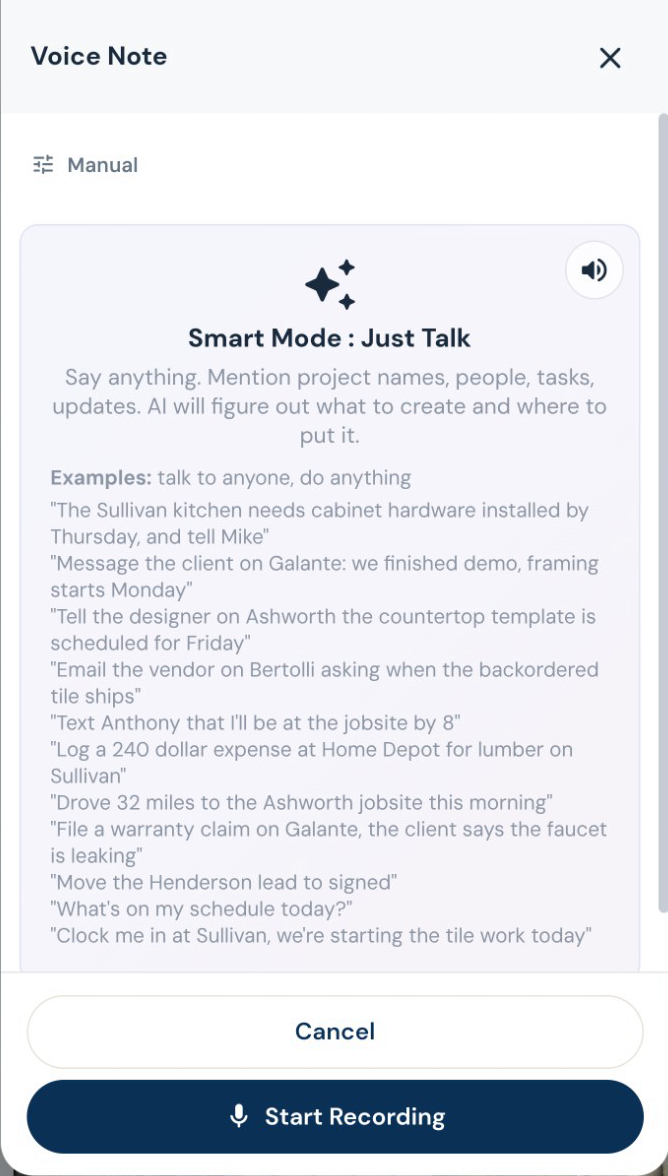
Estimating, proposals and revisions
Your scope. Your terminology. Your pricing.
Give Roxy the scope of work, photos, handwritten notes or project documents. With your company knowledge available, it can draft the estimate using your terminology, pricing references and contract preferences. Review the quantities, labor, materials and markup, then send a proposal that sounds like your company.
Get the next lists started.
Use the estimate scope to draft a materials list and the selections the customer still needs to make. Review quantities and choices before ordering.
Change the countertop. Keep the rest.
Tell Roxy what to change in an estimate, by voice or text. Review the proposed edits before saving. Sent estimates retain previous versions; changes to a sealed estimate follow a separate revision.
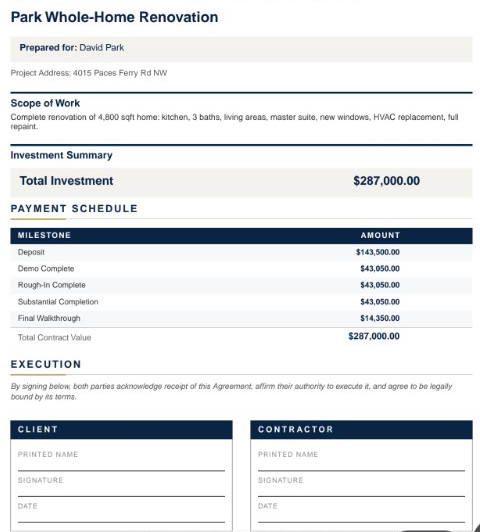
Decisions you can come back to
A signature with a document behind it.
Customers sign in their portal. Signed estimates and approved change orders are stored as sealed PDFs with a signature certificate. Keep the signed version with the job.
The customer opens the deposit and sees how to pay. Actual demo recording; no payment is submitted in this clip.