Your voice. Your experience. Your next job.

You run the job. Roxy helps run the office.

Tell Roxy what needs doing. Build estimates with the pricing and language your company has learned. Bring the sub on board, then let your customer sign and pay.

14 days free. Cancel anytime.

From $199/month

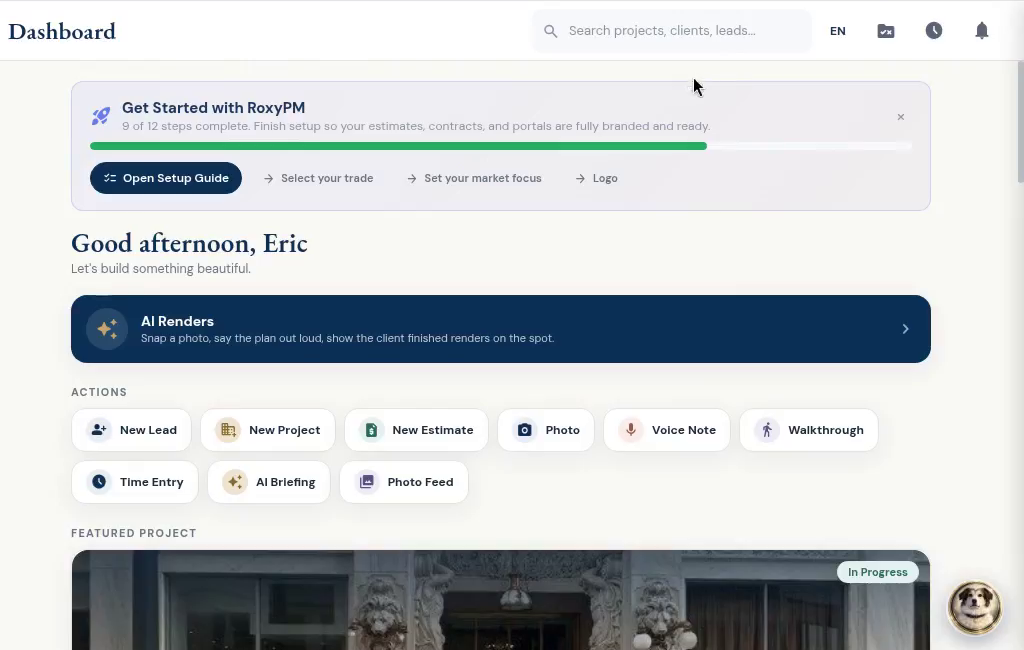
The RoxyPM desktop dashboard and site walkthrough button
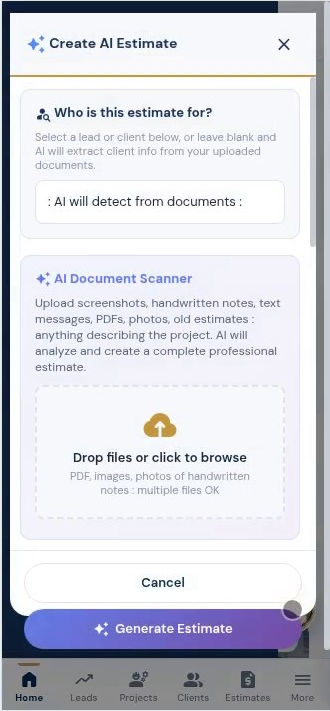
RoxyPM AI estimate screen
Voice into action

Tasks. Calendar. Leads. Email drafts.

Current RoxyPM app screens

Try an actual RoxyPM render

Help them see what you mean.

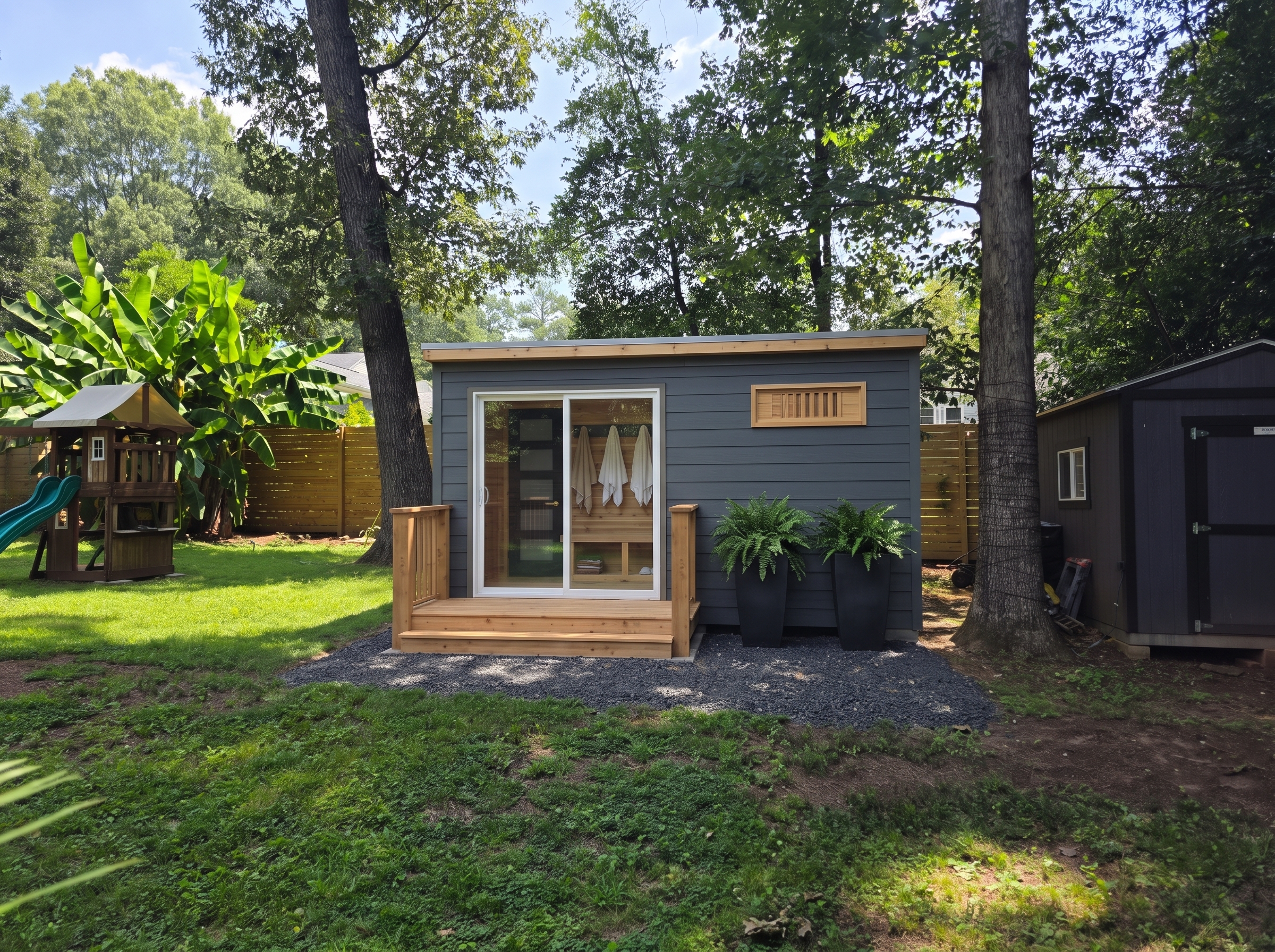
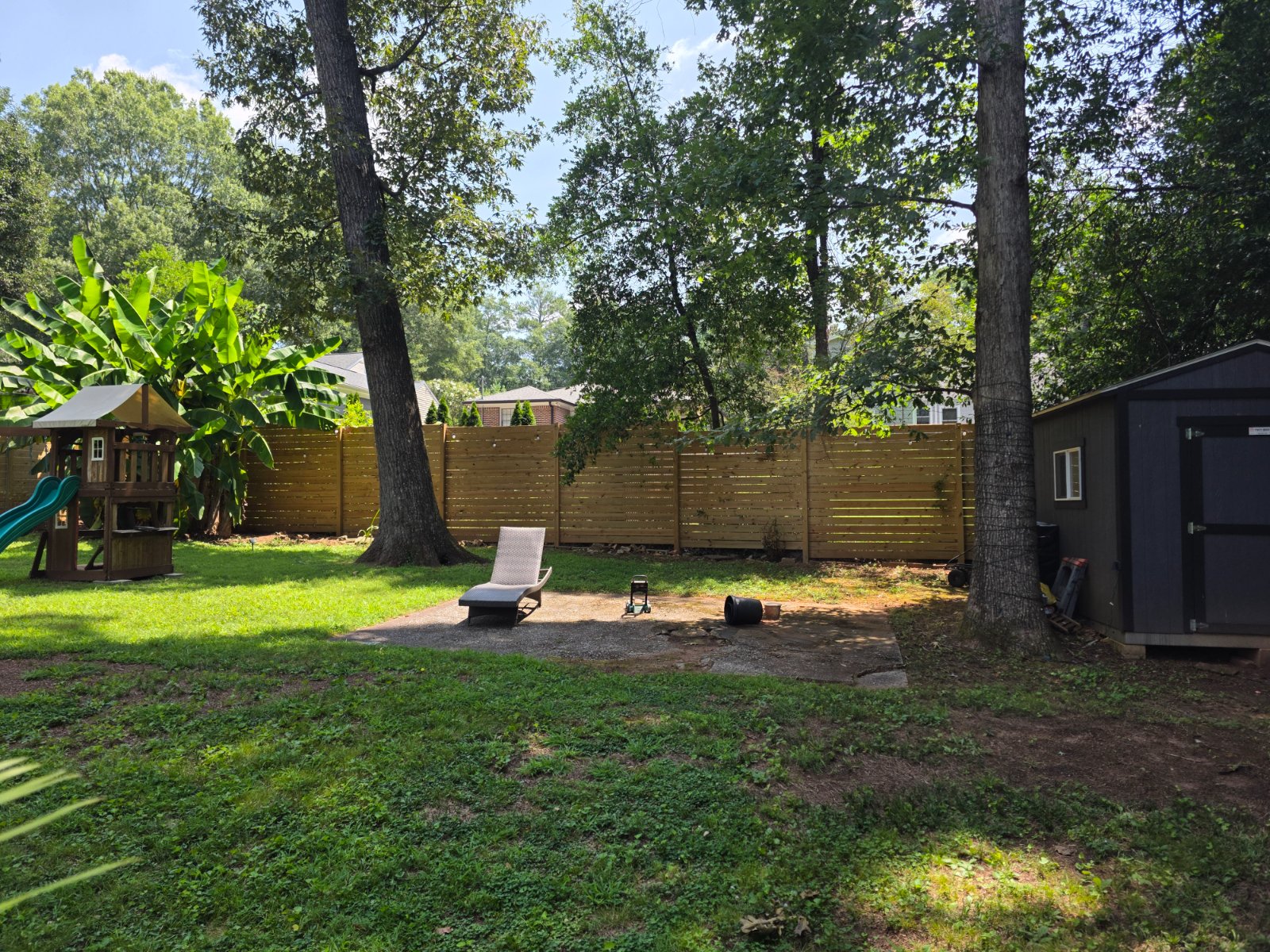
Start with a photo of the space. Show the customer a design concept, then slide between the two while you talk through the idea. This example was shared by Roxy’s Renovations.

AI-generated backyard design concept Original backyard photograph supplied by Roxy’s Renovations
‹›
Original photo AI design concept

Drag the divider or use the arrow keys. The original photo is real; the AI concept shows a possibility, not completed construction.

Open the shared client view

Say it. Keep the job moving.

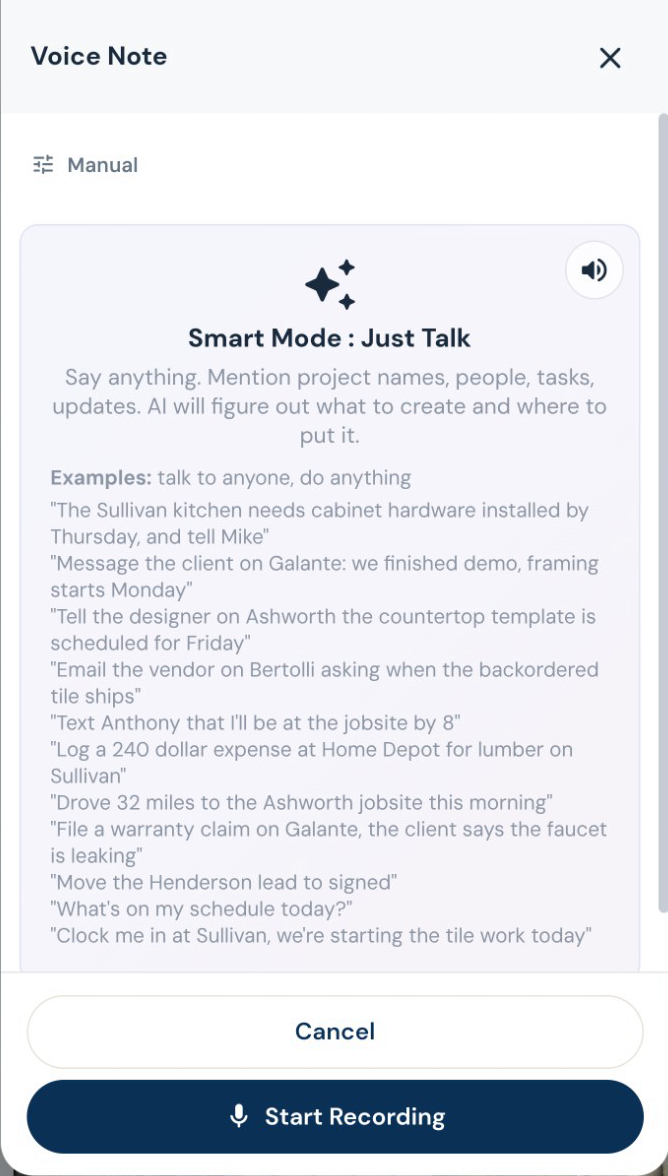
Turn a spoken instruction into tasks, calendar events, new leads, job notes and email drafts. Log an expense, update a task or ask what is on the schedule while you are still on site. Roxy can handle several supported actions from one conversation. Review outgoing messages before they are sent.

See the workflow

Your scope. Your terminology. Your pricing.

Give Roxy the scope of work, photos, handwritten notes or project documents. With your company knowledge available, it can draft the estimate using your terminology, pricing references and contract preferences. Review the quantities, labor, materials and markup, then send a proposal that sounds like your company.

See the workflow

The business card is the beginning.

Snap or upload a business card and let AI fill the subcontractor details for review. Save the record, then start onboarding with the agreement, W-9 request, insurance upload and portal access together. Your sub signs and provides the paperwork through their own links. You can see what is complete and what you are still waiting for.

See the workflow

Get the yes. Get the signature. Get paid.

Send a branded client portal where the customer can review the proposal, e-sign and pay using the payment options you have connected. Selections, approved changes, shared updates and signed documents stay with the job. Your internal costs and markup stay out of the customer view.

See the workflow

The next job starts with a screenshot

From a screenshot to a filled-out lead.

A customer texts you about a kitchen remodel. Someone forwards an email referral. Take a screenshot and let Roxy fill in the lead for you: name, phone, email, address and job notes, using the details it finds. Review it, add anything missing and save. No copying the conversation into a form one field at a time.

It does not have to arrive in a tidy form. Bring a screenshot of a text, email or DM, a business card, a photo of handwritten notes or a PDF. Add the files to a new lead and choose Read All. Roxy pulls the details together in the editable form, so you can spend your next few minutes talking about the job.

Get a real appointment confirmation.

Turn the scheduling text into a calendar draft. Send a confirmation link so the customer can confirm or ask to reschedule, and see which visits still need an answer.

Know who needs a call.

Score leads against the kind of work you want, with reasons behind the score. Ask Roxy to draft a follow-up using the conversation and job details already on file.

Know more before you take the job.

Use the client background checker to research available public information and flag questions worth asking. Review the sources, useful context and potential concerns before deciding how to proceed. It is research for your judgment, not a certified credit or criminal background report.

See the workflow

A screenshot becomes a filled-out lead

Attach the screenshot, choose Read All and review the details Roxy fills in. Actual mobile recording.

From Eric’s own estimating work

$500,000

One estimate. A very different evening.

“I had a $500,000 estimate that took me a week to put together by hand. I did it inside Roxy PM in about 15 minutes.”

Eric Orsburn, founder and working contractor Eric’s experience with one estimate. Scope, inputs and review time vary.

Before you leave the site

Say it once. Put the next steps in motion.

Turn a spoken instruction into tasks, calendar events, new leads, job notes and email drafts. Log an expense, update a task or ask what is on the schedule while you are still on site. Roxy can handle several supported actions from one conversation. Review outgoing messages before they are sent.

You remember three things on the way out: give the cabinet installer a task, schedule the next site meeting and email the customer. Say them while the details are fresh. Roxy puts supported actions into the places where your team actually works, with messages ready for your review.

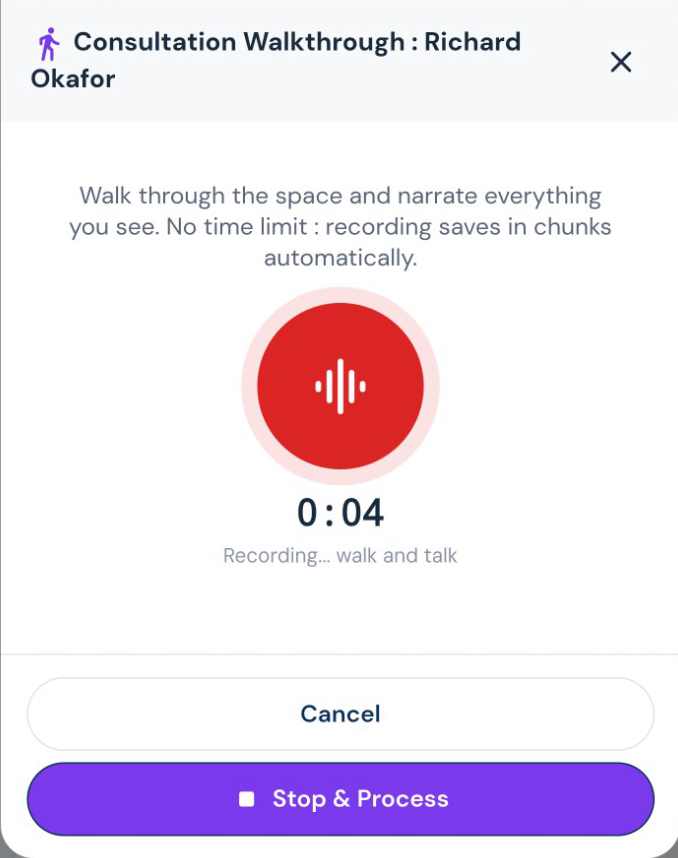
Walk the job. Talk through the work.

Record what you see while it is fresh. Roxy turns your walkthrough into organized notes and scope that can feed the estimate, instead of another notebook to type up tonight.

Record the consultation as you walk the space
Pick the voice you want riding along.

Roxy has a choice of voices and personalities. Talk through the day, ask a question, or get a guided tour of the app in a voice that suits you. Your assistant remembers your preferences across conversations, so you spend less time explaining yourself again.

The day’s record, before you forget it.

Speak the day’s progress, delays and site notes. AI organizes the daily log, while photos and files keep the job history together. Ask for a project summary before the next customer call.

See the workflow
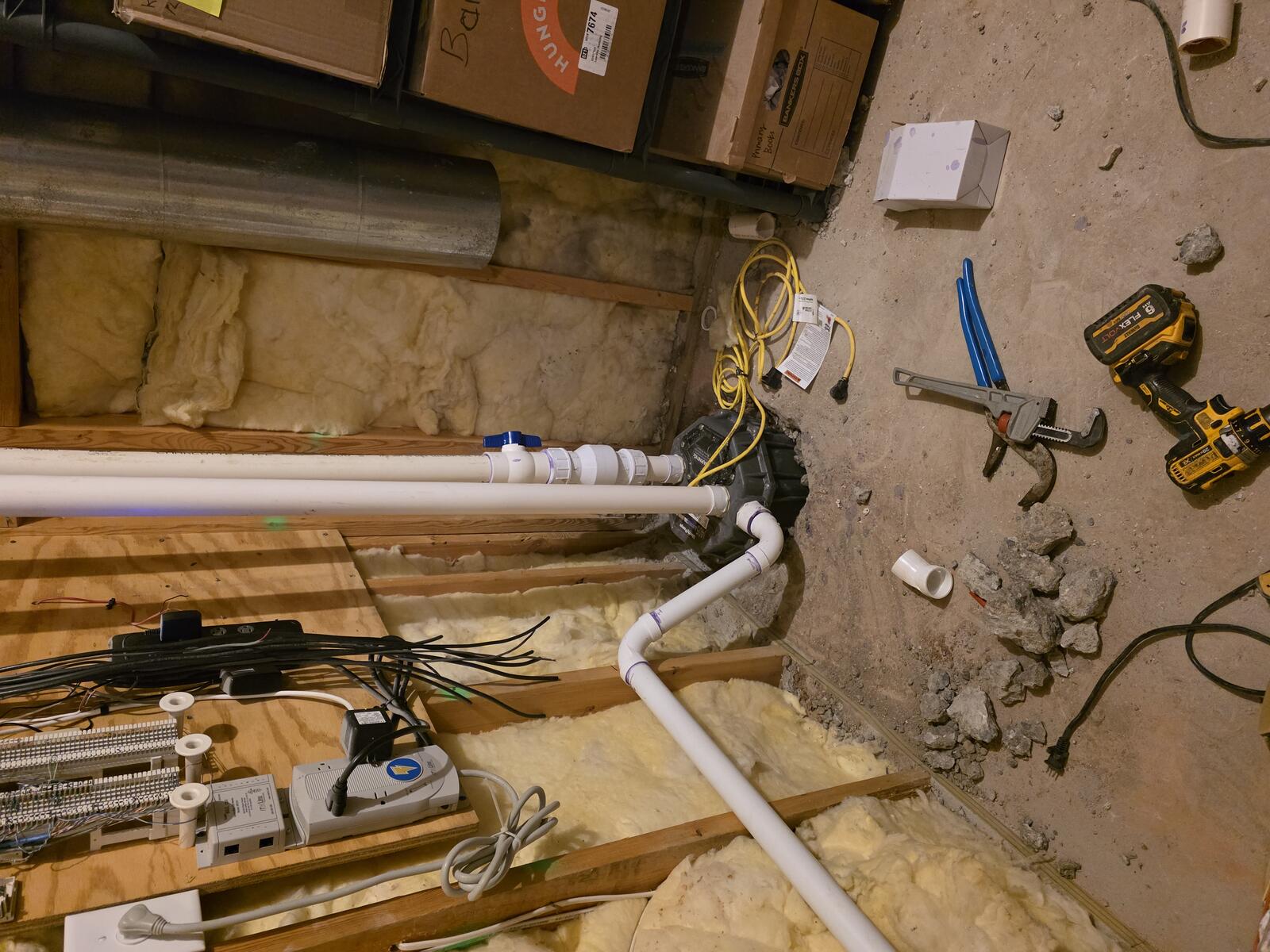
Residential construction work in progress
Smart Mode: say what needs doing

Your company, remembered

The more you use Roxy, the more it knows your business.

Your pricing, your contract language, your way of doing the work. Give Roxy a head start with past documents, then keep working. It learns from your corrections, saved pricing, payment schedules and preferences in the background, so future suggestions fit your company better.

You should not have to explain your labor rate, your payment terms and your way of writing a scope every time you start an estimate. Bring the records from work you have already done. As you keep using Roxy and correcting its drafts, it keeps learning what fits your business.

You already taught yourself the hard way. Teach Roxy from that work.

Bring old contracts, cost sheets, supplier invoices and paperwork from completed jobs. Upload PDFs, spreadsheets, photos of pages or handwritten notes. Import supported CSV exports from your previous software and review the results. Put the business knowledge you already have to work on the next job.

Teach it how your company bids.

Upload your contracts and cost sheets. Roxy can use your terms, pricing knowledge and field shorthand when drafting new work. You can inspect what it learned and reverse unwanted learning.

Pick the voice you want riding along.

Roxy has a choice of voices and personalities. Talk through the day, ask a question, or get a guided tour of the app in a voice that suits you. Your assistant remembers your preferences across conversations, so you spend less time explaining yourself again.

See the workflow
Completed kitchen project
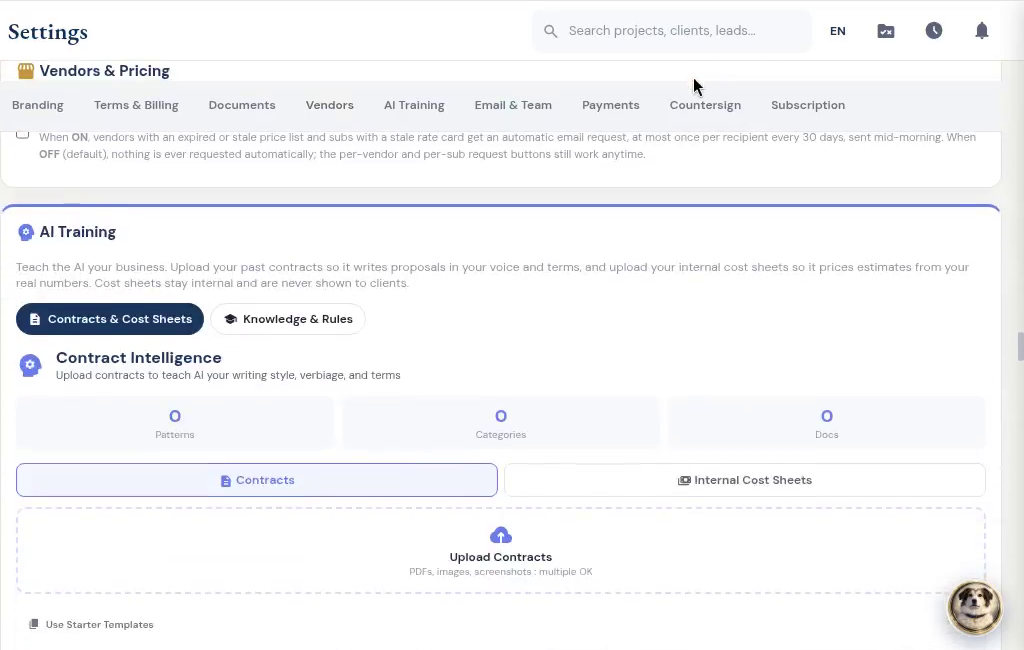
Company AI training: contracts and internal cost sheets

The proposal should sound like you

Your scope. Your terminology. Your pricing.

Give Roxy the scope of work, photos, handwritten notes or project documents. With your company knowledge available, it can draft the estimate using your terminology, pricing references and contract preferences. Review the quantities, labor, materials and markup, then send a proposal that sounds like your company.

The customer changes the countertop after you have written the proposal. Tell Roxy what changed and review the edits. Keep the rest of the scope, the earlier version and your internal pricing where they belong. Then present the price in the format you use to sell the work.

Show the price the way you sell.

Send a lump-sum proposal, room-by-room totals or line-item pricing. Add optional upgrades, your terms and a payment schedule. Your internal labor costs and markup stay separate from the customer presentation.

Change the countertop. Keep the rest.

Tell Roxy what to change in an estimate, by voice or text. Review the proposed edits before saving. Sent estimates retain previous versions; changes to a sealed estimate follow a separate revision.

Work from the customer’s markup.

Upload the marked-up estimate rather than retyping the notes in the margin. Roxy drafts the revision for review. Scope comparison helps you see additions, removals and changes between scopes.

Put the agreed work in writing.

Draft contracts and letters of intent from the job information, then review your terms before sending. Reuse your document templates and let AI help fill the project details.

See the workflow
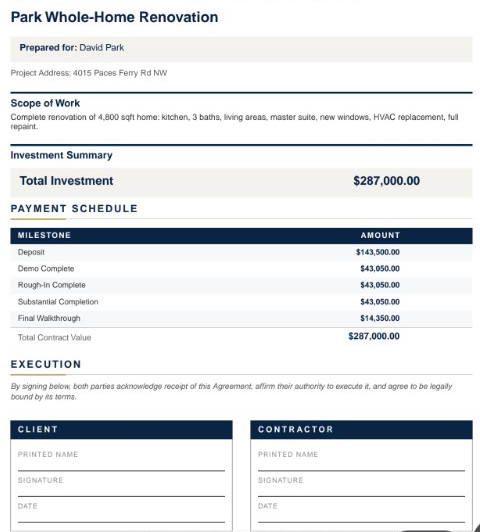
Branded estimate summary, payment schedule and signature fields

The people doing the work

Start with their business card. Get the sub ready for work.

Snap or upload a business card and let AI fill the subcontractor details for review. Save the record, then start onboarding with the agreement, W-9 request, insurance upload and portal access together. Your sub signs and provides the paperwork through their own links. You can see what is complete and what you are still waiting for.

You need more than a phone number for the electrician. You need the right scope, a signed agreement, current insurance and a place for their payment request. Keep that relationship together from the first bid to the last invoice, with separate workspaces for the people you bring onto the job.

The electrician needs the electrical scope.

Build trade-specific bid requests from the job’s notes, documents and estimate. Send the relevant work to subs and vendors, collect their submissions, and compare the bids before awarding the work.

Know before the insurance expires.

AI reads uploaded insurance and license documents for expiry dates. Your team can check the extracted date, and renewal reminders go out within the two-week window before expiry and when overdue.

Give each sub the work that belongs to them.

Subs can find assigned projects, tasks, bid invitations and payment requests in their own workspace. Workers can record time and upload job photos. Suppliers have order, delivery and invoice workflows.

Give the supplier a place to send it.

Orders, delivery updates, invoices, messages and price sheets belong with the supplier. The vendor portal lets them send the details back without giving them access to the rest of your business. You can also request fresh prices and choose automatic reminders for stale lists.

See the workflow
Kitchen cabinet storage detail
From imported details to onboarding

Review the imported sub, then choose insurance requirements. Edited demo excerpt; agreement signing and document submission are separate steps.

A decision you can find later

Your customer can sign and pay in the same place.

Send a branded client portal where the customer can review the proposal, e-sign and pay using the payment options you have connected. Selections, approved changes, shared updates and signed documents stay with the job. Your internal costs and markup stay out of the customer view.

The designer sends a selection. The customer approves it. You know whose answer you have and whose you still need. When the scope is agreed, the signature stays with the document. When the next payment is due, the client can find it in the same place.

Keep the designer in the conversation.

Give the designer a place to submit selections, share files and message about the job, even before it becomes a project. Designer and client approvals are tracked separately, and submitted costs wait for your team’s approval.

A signature with a document behind it.

Customers sign in their portal. Signed estimates and approved change orders are stored as sealed PDFs with a signature certificate. Keep the signed version with the job.

Keep both sides of the agreement.

Countersign the customer’s approved contract. Optional automatic countersigning follows the configured approval and payment conditions. Completion acceptance is its own request and certificate at closeout.

Get a real appointment confirmation.

Turn the scheduling text into a calendar draft. Send a confirmation link so the customer can confirm or ask to reschedule, and see which visits still need an answer.

See the workflow
From the payment schedule to payment choices

The customer opens the deposit and sees how to pay. Actual demo recording; no payment is submitted in this clip.

Four ways to get the job moving

Less to carry home.

Short introductions with real project photos and app screens. English text, made to watch with the sound off.

A closer look inside the app

Start with your company’s way of working.

See the company learning settings

Bring your contracts and costs into AI Training. This clip shows where you start, before documents are added.

See the payment-method settings

Choose the ways you accept payment and the instructions your customers see.

From delivery to the job’s costs

Give the supplier a place to send it.

Orders, delivery updates, invoices, messages and price sheets belong with the supplier. The vendor portal lets them send the details back without giving them access to the rest of your business. You can also request fresh prices and choose automatic reminders for stale lists.

Let the paperwork fill the first draft.

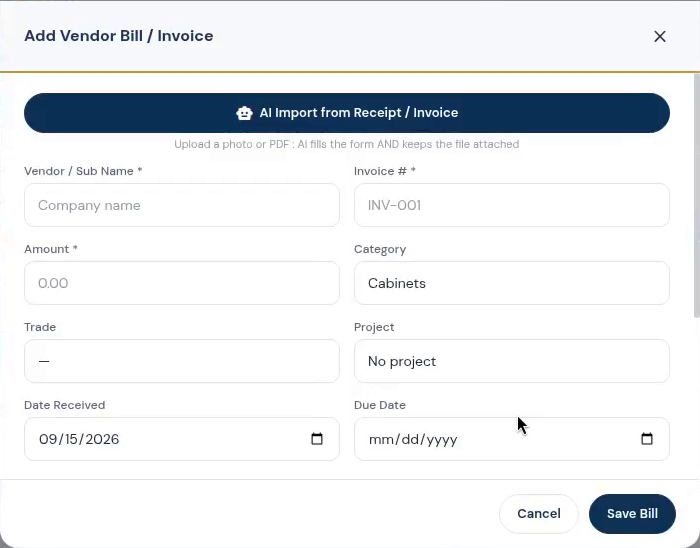
Scan receipts, vendor invoices and contact documents instead of entering them twice. AI extracts the details for review so expenses, bills and supplier records can stay connected to the work.

Keep the office connected to the job.

Manage purchase orders, vendor bills, draw schedules and lien-waiver records alongside your projects. Connect QuickBooks Online when it is part of your accounting process; the accounting subscription remains separate.

See what the job is leaving you.

Compare the contract, collected payments, labor and material costs on the job. Review budget versus actual, receivables and company reports, with AI insights to help you decide what needs attention.

See the workflow
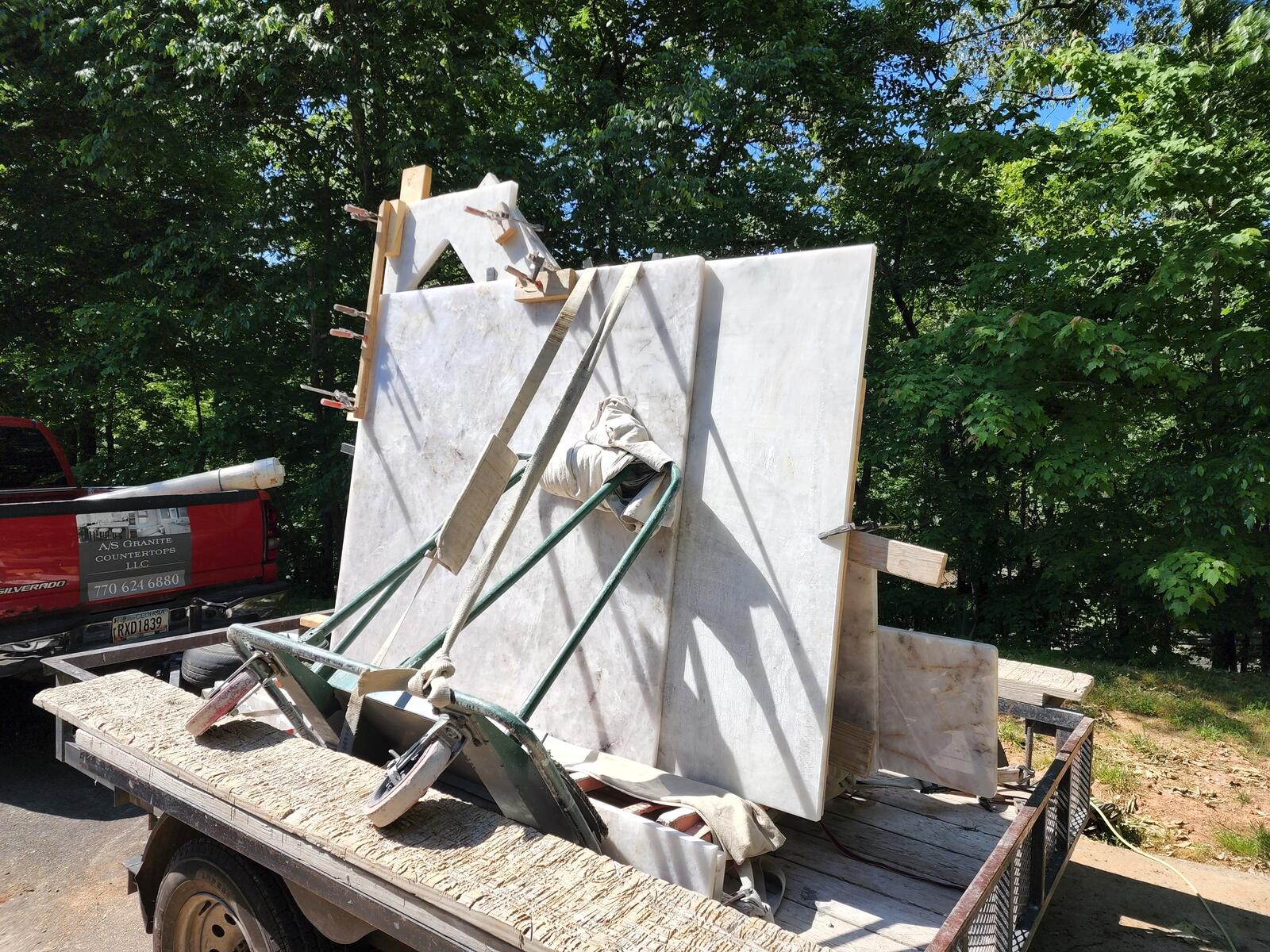
Construction materials and site preparation
Vendor bill form with AI receipt and invoice import

The details come from doing the work.

Built after the jobsite. So you can get your evenings back.

Eric built RoxyPM while running a renovation company. The late estimate, the unsigned change, the missing insurance certificate: those are the reasons these workflows exist.

Our story

Pricing

Two plans. Room for the team you have.

Standard

For the contractor keeping the office and field connected.

$199/month

  • 4 included team seats
  • 5,000 included AI uses per month
  • 25 GB included storage
Start your free trial

Professional

More room for a larger team and heavier AI use.

$499/month

  • 10 included team seats
  • 15,000 included AI uses per month
  • 100 GB included storage
Talk about Professional

14 days free. Cancel anytime. Prices in USD. Additional seats, AI usage and storage may incur charges. See the subscription terms for billing details. Terms

A few things you may be wondering.

Can Roxy learn my pricing and contracts?

Your pricing, your contract language, your way of doing the work. Give Roxy a head start with past documents, then keep working. It learns from your corrections, saved pricing, payment schedules and preferences in the background, so future suggestions fit your company better.

Can clients, subs and designers use their own portals?

Yes. Give each person access to the documents, decisions and work they need. The client, designer, sub and vendor workflows have different roles; your internal costs stay internal.

What can I bring from my old software?

Bring old contracts, cost sheets, supplier invoices and paperwork from completed jobs. Upload PDFs, spreadsheets, photos of pages or handwritten notes. Import supported CSV exports from your previous software and review the results. Put the business knowledge you already have to work on the next job.

What happens after the free trial?

Your subscription follows the plan and billing terms shown at signup. Standard is $199/month and Professional is $499/month. Review the included seats and usage on the pricing page.

RoxyPM

Put it to work on your next job.

14 days free. Cancel anytime.