Built by a contractor. For the work you actually do.
Keep the decisions moving with the build.
A long build means months of selections, trade handoffs and payments. Keep the agreed scope, finish approvals, phase schedule and draw records together from proposal to completion.
14 days free. Cancel anytime.

The work on site
Put the trades in the right order.
Work with trade-specific phases, tasks and Gantt schedules. AI can suggest sequencing and flag scheduling conflicts for review, while crews record their time against the work.
Finish the punch list. Keep the history.
Keep punch items, photos and completion acceptance with the project. If a warranty call comes later, log it against that job and ask AI to assess it against your recorded terms before you decide.
Estimating, proposals and revisions
Show the price the way you sell.
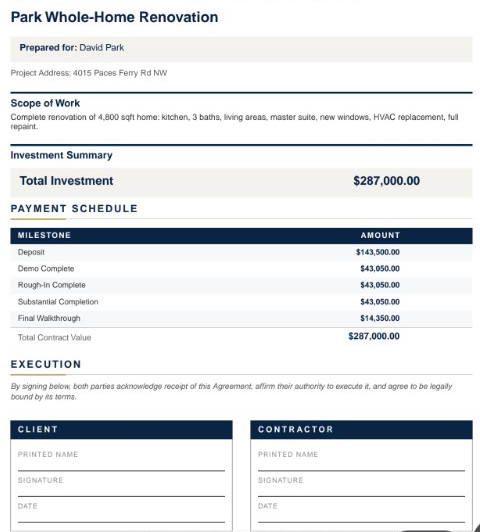
Send a lump-sum proposal, room-by-room totals or line-item pricing. Add optional upgrades, your terms and a payment schedule. Your internal labor costs and markup stay separate from the customer presentation.
Subs, suppliers and designers
Give each sub the work that belongs to them.
Subs can find assigned projects, tasks, bid invitations and payment requests in their own workspace. Workers can record time and upload job photos. Suppliers have order, delivery and invoice workflows.
Review the imported sub, then choose insurance requirements. Edited demo excerpt; agreement signing and document submission are separate steps.
Decisions you can come back to
Keep the designer in the conversation.
Give the designer a place to submit selections, share files and message about the job, even before it becomes a project. Designer and client approvals are tracked separately, and submitted costs wait for your team’s approval.
Know when a selection changes the budget.
Track selections and allowances by job. Keep the model, finish, supplier and approval together, and handle an over-budget choice through the change process before it becomes a surprise at collection.
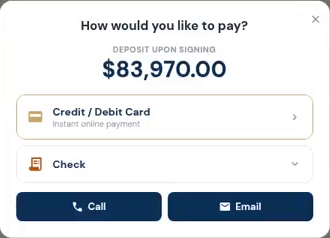
The customer opens the deposit and sees how to pay. Actual demo recording; no payment is submitted in this clip.
Invoices, payments and job money
Make the next payment easy to find.
Send a payment request tied to the job. Customers can see what is due and use the payment options you have connected. Partial payments and approved changes stay visible in the balance.
Keep the office connected to the job.
Manage purchase orders, vendor bills, draw schedules and lien-waiver records alongside your projects. Connect QuickBooks Online when it is part of your accounting process; the accounting subscription remains separate.