Built by a contractor. For the work you actually do.
Keep every job out of your text-message inbox.
A bid, a question from the client, a sub’s insurance and a payment request should all be easy to find. Keep the people, decisions and money organized by project while you move between jobs.
14 days free. Cancel anytime.

From first contact to site visit
From a screenshot to a filled-out lead.
A customer texts you about a kitchen remodel. Someone forwards an email referral. Take a screenshot and let Roxy fill in the lead for you: name, phone, email, address and job notes, using the details it finds. Review it, add anything missing and save. No copying the conversation into a form one field at a time.
Attach the screenshot, choose Read All and review the details Roxy fills in. Actual mobile recording.
The work on site
The day’s record, before you forget it.
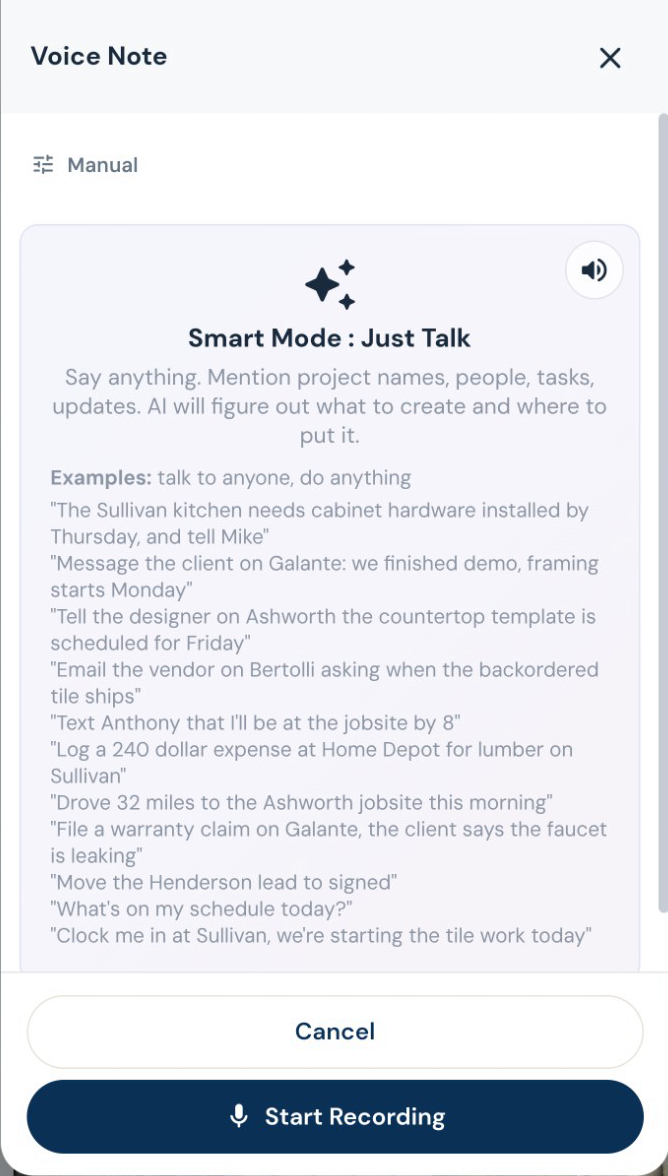
Speak the day’s progress, delays and site notes. AI organizes the daily log, while photos and files keep the job history together. Ask for a project summary before the next customer call.
Subs, suppliers and designers
The electrician needs the electrical scope.
Build trade-specific bid requests from the job’s notes, documents and estimate. Send the relevant work to subs and vendors, collect their submissions, and compare the bids before awarding the work.
Start with their business card. Get the sub ready for work.
Snap or upload a business card and let AI fill the subcontractor details for review. Save the record, then start onboarding with the agreement, W-9 request, insurance upload and portal access together. Your sub signs and provides the paperwork through their own links. You can see what is complete and what you are still waiting for.
Know before the insurance expires.
AI reads uploaded insurance and license documents for expiry dates. Your team can check the extracted date, and renewal reminders go out within the two-week window before expiry and when overdue.
Review the imported sub, then choose insurance requirements. Edited demo excerpt; agreement signing and document submission are separate steps.
Decisions you can come back to
Keep the designer in the conversation.
Give the designer a place to submit selections, share files and message about the job, even before it becomes a project. Designer and client approvals are tracked separately, and submitted costs wait for your team’s approval.
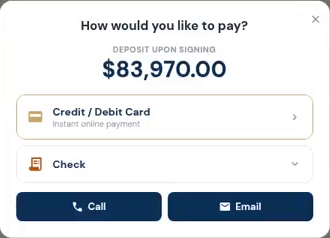
The customer opens the deposit and sees how to pay. Actual demo recording; no payment is submitted in this clip.
Invoices, payments and job money
Make the next payment easy to find.
Send a payment request tied to the job. Customers can see what is due and use the payment options you have connected. Partial payments and approved changes stay visible in the balance.
See what the job is leaving you.
Compare the contract, collected payments, labor and material costs on the job. Review budget versus actual, receivables and company reports, with AI insights to help you decide what needs attention.