Compare

RoxyPM vs Houzz Pro

Choose RoxyPM to connect designer selections, customer approvals, company-informed estimates and the subcontractors doing the work. Keep the decision, price and signed scope together.

14 days free. Cancel anytime.

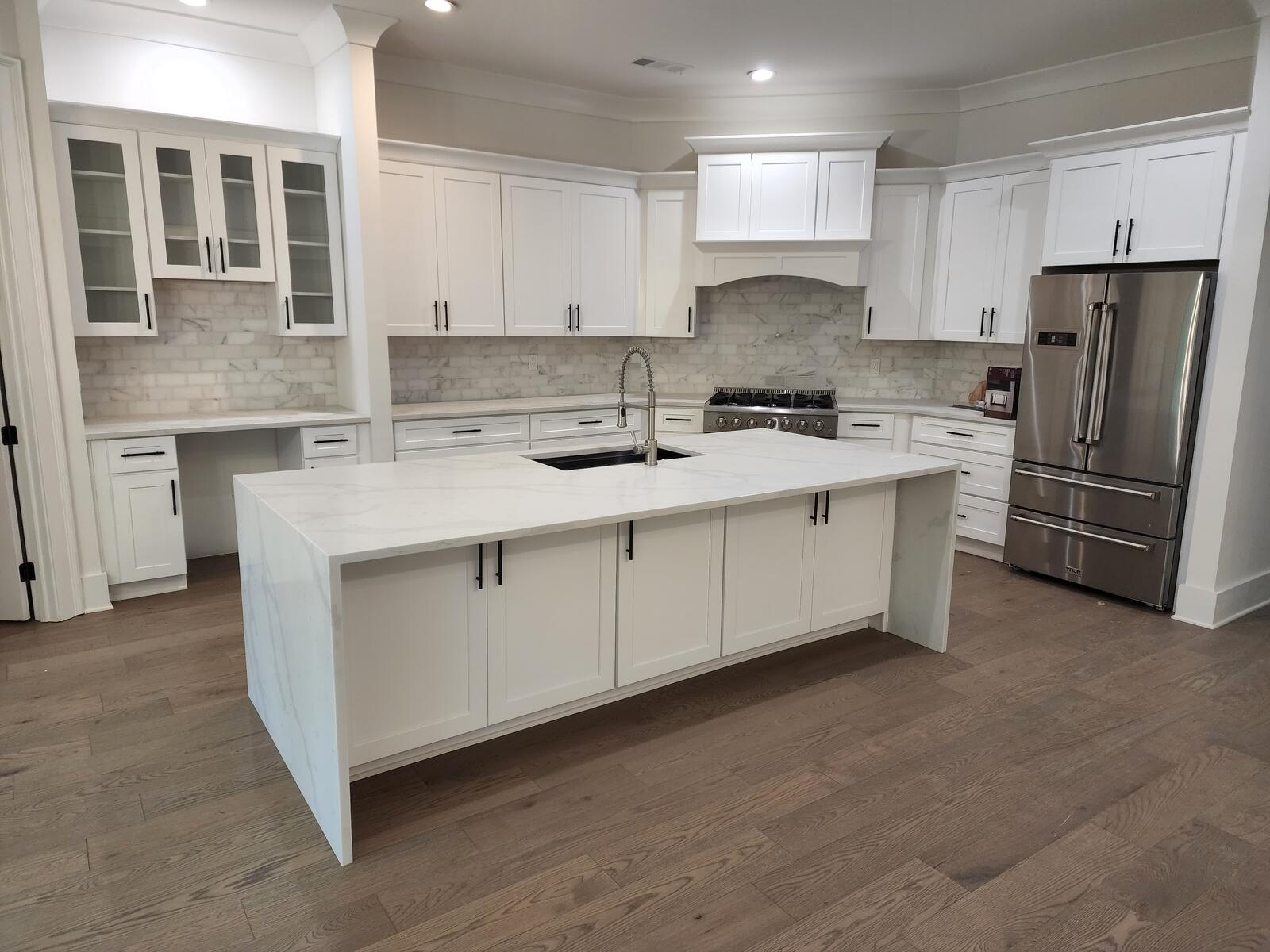
Completed kitchen project

The RoxyPM advantage

Carry the design decision all the way into the job.

When the customer changes the countertop, the decision has consequences. Roxy lets you review estimate edits by voice or text, preserve revisions and keep internal costs separate from the proposal. A dedicated designer portal, client approvals and subcontractor paperwork keep the people around that change connected.

See RoxyPM handle your workflow
Make the next job a RoxyPM job

Put your experience to work.

Start with your company’s contracts, pricing and scope. Let Roxy help prepare the estimate and keep the next steps moving, with your team reviewing the work before it goes to the customer.

Standard: $199/month with 4 included team seats and 5,000 AI uses. Professional: $499/month with 10 included seats and 15,000 AI uses.

14 days free. Cancel anytime.

Pricing

From Eric’s own estimating work

$500,000

One estimate. A very different evening.

“I had a $500,000 estimate that took me a week to put together by hand. I did it inside Roxy PM in about 15 minutes.”

Eric Orsburn, founder and working contractor Eric’s experience with one estimate. Scope, inputs and review time vary.

Here is what RoxyPM puts to work for you.

From first contact to site visit

From a screenshot to a filled-out lead.

A customer texts you about a kitchen remodel. Someone forwards an email referral. Take a screenshot and let Roxy fill in the lead for you: name, phone, email, address and job notes, using the details it finds. Review it, add anything missing and save. No copying the conversation into a form one field at a time.

Book a walkthrough
A screenshot becomes a filled-out lead

Attach the screenshot, choose Read All and review the details Roxy fills in. Actual mobile recording.

The office after the jobsite

The more you use Roxy, the more it knows your business.

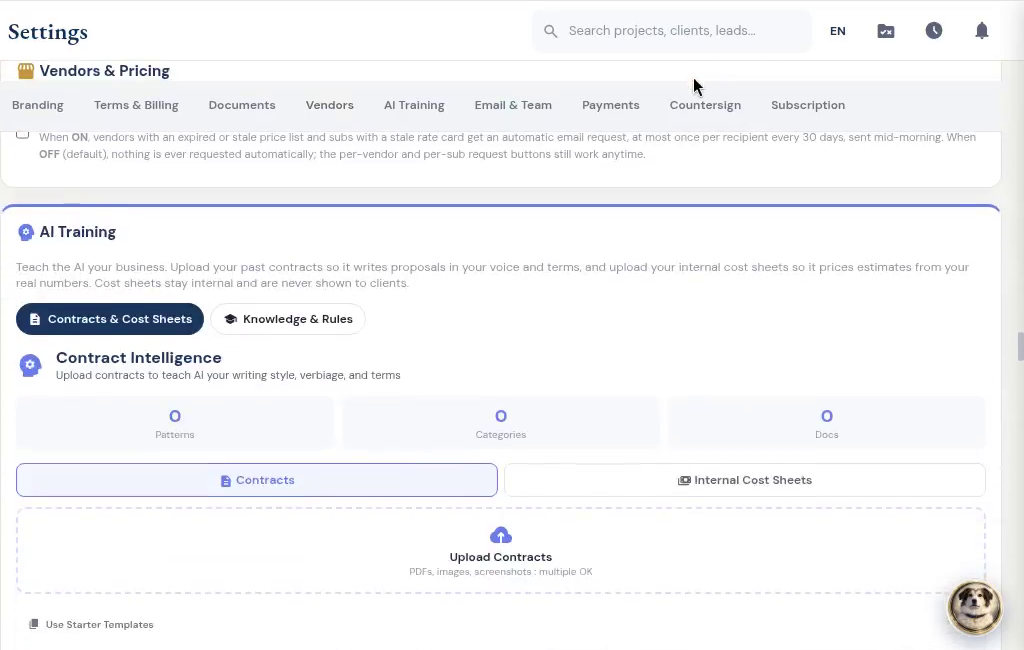
Your pricing, your contract language, your way of doing the work. Give Roxy a head start with past documents, then keep working. It learns from your corrections, saved pricing, payment schedules and preferences in the background, so future suggestions fit your company better.

Book a walkthrough
Company AI training: contracts and internal cost sheets

Estimating, proposals and revisions

Change the countertop. Keep the rest.

Tell Roxy what to change in an estimate, by voice or text. Review the proposed edits before saving. Sent estimates retain previous versions; changes to a sealed estimate follow a separate revision.

Work from the customer’s markup.

Upload the marked-up estimate rather than retyping the notes in the margin. Roxy drafts the revision for review. Scope comparison helps you see additions, removals and changes between scopes.

Book a walkthrough
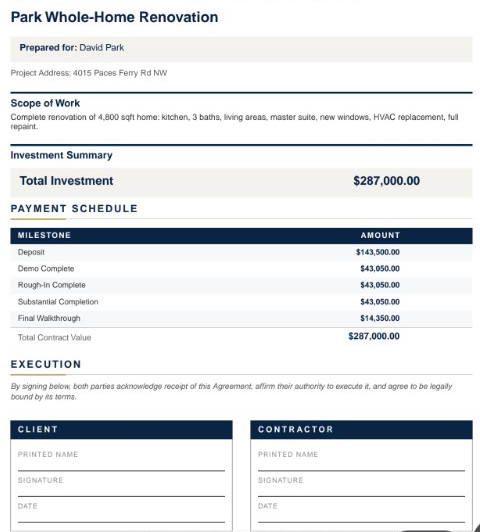
Branded estimate summary, payment schedule and signature fields

Subs, suppliers and designers

Start with their business card. Get the sub ready for work.

Snap or upload a business card and let AI fill the subcontractor details for review. Save the record, then start onboarding with the agreement, W-9 request, insurance upload and portal access together. Your sub signs and provides the paperwork through their own links. You can see what is complete and what you are still waiting for.

Book a walkthrough
From imported details to onboarding

Review the imported sub, then choose insurance requirements. Edited demo excerpt; agreement signing and document submission are separate steps.

Decisions you can come back to

Keep the designer in the conversation.

Give the designer a place to submit selections, share files and message about the job, even before it becomes a project. Designer and client approvals are tracked separately, and submitted costs wait for your team’s approval.

Your customer can sign and pay in the same place.

Send a branded client portal where the customer can review the proposal, e-sign and pay using the payment options you have connected. Selections, approved changes, shared updates and signed documents stay with the job. Your internal costs and markup stay out of the customer view.

A signature with a document behind it.

Customers sign in their portal. Signed estimates and approved change orders are stored as sealed PDFs with a signature certificate. Keep the signed version with the job.

Book a walkthrough
From the payment schedule to payment choices

The customer opens the deposit and sees how to pay. Actual demo recording; no payment is submitted in this clip.

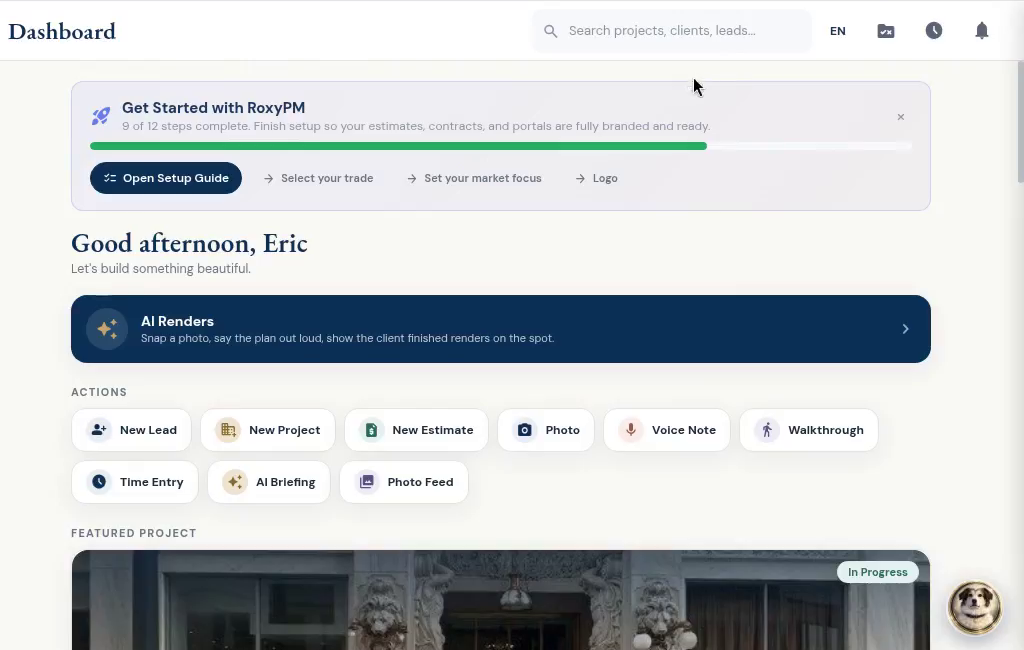
RoxyPM dashboard

RoxyPM

Built by a contractor. For the work you actually do.

Use your own contract templates, terms, payment methods, branding and field-note shorthand. Set follow-ups and task rules for the steps you repeat. Decide when countersigning happens and whether sub payment requests need a signed lien waiver.

See the workflow

RoxyPM

Put it to work on your next job.

14 days free. Cancel anytime.