Compare

RoxyPM vs Jack

Choose RoxyPM for an assistant that remembers your preferences, estimates that draw on company knowledge and portals that keep clients, designers, subs and suppliers involved.

14 days free. Cancel anytime.

Completed fabric shop interior

The RoxyPM advantage

Your voice and your experience, working on the same job.

Tell Roxy what needs doing while the details are fresh. Create tasks, draft the email and get the next visit onto the calendar. Your contracts and costs inform new estimates; suppliers can send updated price sheets through their portal. Choose a voice and personality that suits you and keep your working knowledge useful across the day.

See RoxyPM handle your workflow
Make the next job a RoxyPM job

Put your experience to work.

Start with your company’s contracts, pricing and scope. Let Roxy help prepare the estimate and keep the next steps moving, with your team reviewing the work before it goes to the customer.

Standard: $199/month with 4 included team seats and 5,000 AI uses. Professional: $499/month with 10 included seats and 15,000 AI uses.

14 days free. Cancel anytime.

Pricing

Here is what RoxyPM puts to work for you.

From first contact to site visit

From a screenshot to a filled-out lead.

A customer texts you about a kitchen remodel. Someone forwards an email referral. Take a screenshot and let Roxy fill in the lead for you: name, phone, email, address and job notes, using the details it finds. Review it, add anything missing and save. No copying the conversation into a form one field at a time.

Book a walkthrough
A screenshot becomes a filled-out lead

Attach the screenshot, choose Read All and review the details Roxy fills in. Actual mobile recording.

The office after the jobsite

Pick the voice you want riding along.

Roxy has a choice of voices and personalities. Talk through the day, ask a question, or get a guided tour of the app in a voice that suits you. Your assistant remembers your preferences across conversations, so you spend less time explaining yourself again.

The more you use Roxy, the more it knows your business.

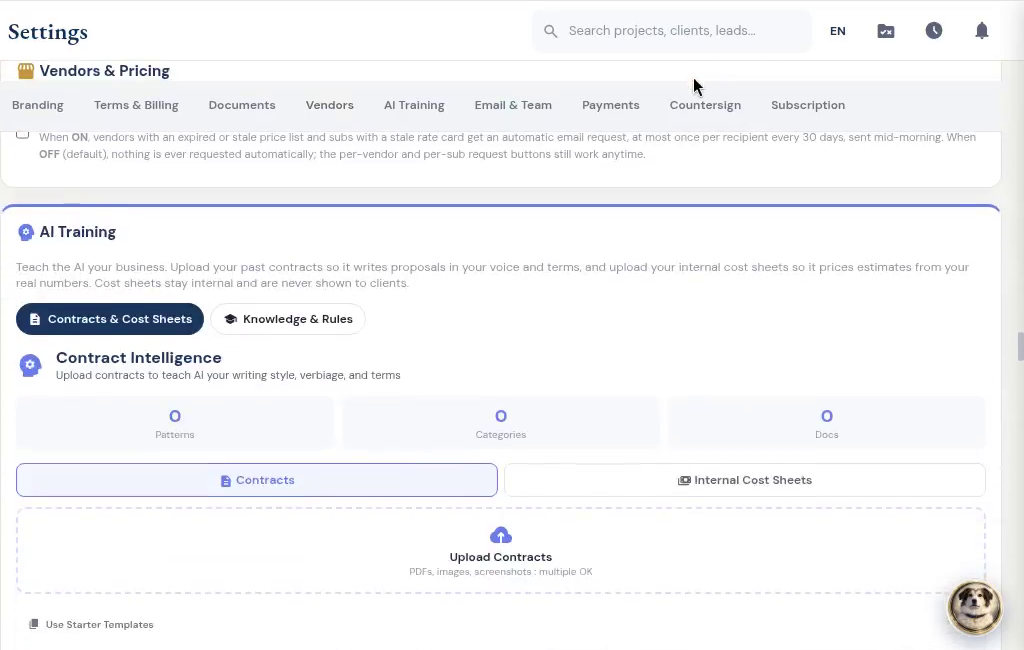
Your pricing, your contract language, your way of doing the work. Give Roxy a head start with past documents, then keep working. It learns from your corrections, saved pricing, payment schedules and preferences in the background, so future suggestions fit your company better.

Book a walkthrough
Company AI training: contracts and internal cost sheets

The work on site

Say it once. Put the next steps in motion.

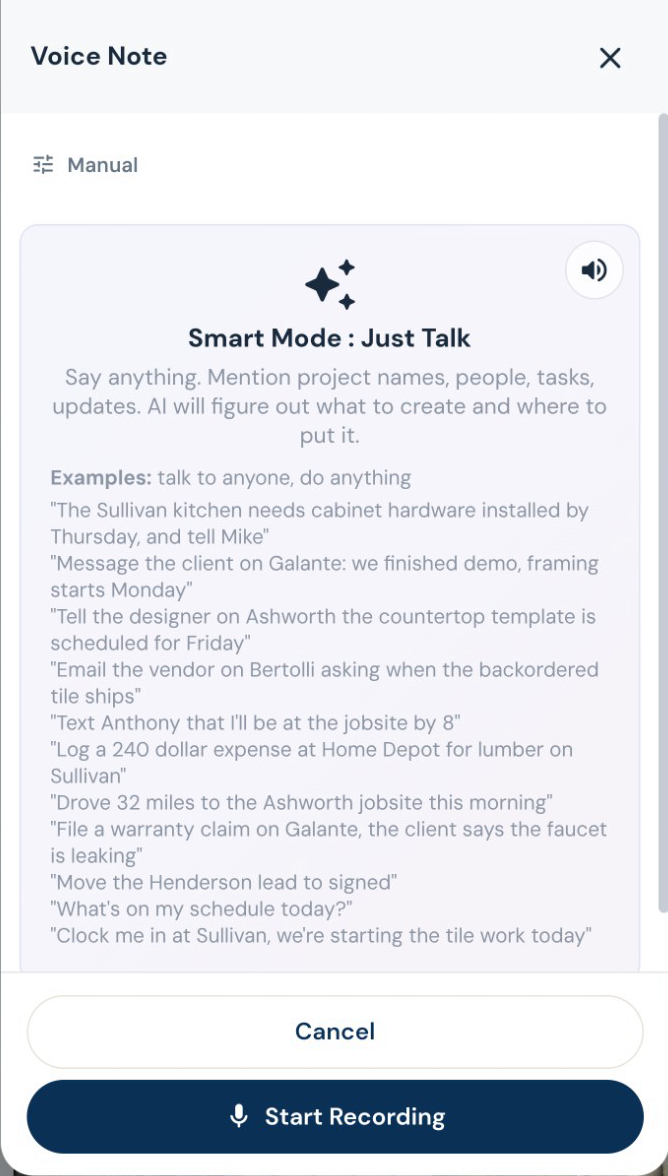
Turn a spoken instruction into tasks, calendar events, new leads, job notes and email drafts. Log an expense, update a task or ask what is on the schedule while you are still on site. Roxy can handle several supported actions from one conversation. Review outgoing messages before they are sent.

Book a walkthrough
Smart Mode: say what needs doing

Estimating, proposals and revisions

Your scope. Your terminology. Your pricing.

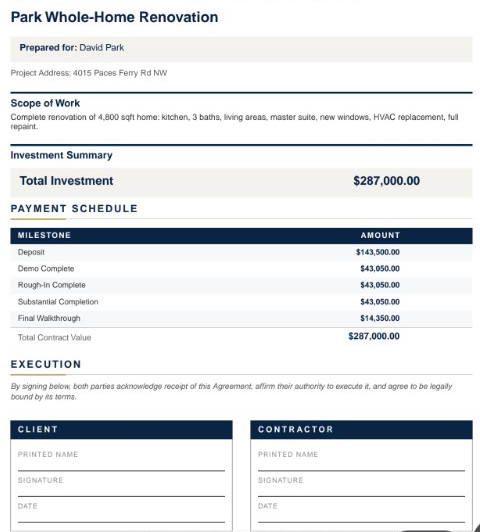
Give Roxy the scope of work, photos, handwritten notes or project documents. With your company knowledge available, it can draft the estimate using your terminology, pricing references and contract preferences. Review the quantities, labor, materials and markup, then send a proposal that sounds like your company.

Book a walkthrough
Branded estimate summary, payment schedule and signature fields

Subs, suppliers and designers

Give the supplier a place to send it.

Orders, delivery updates, invoices, messages and price sheets belong with the supplier. The vendor portal lets them send the details back without giving them access to the rest of your business. You can also request fresh prices and choose automatic reminders for stale lists.

Book a walkthrough
From imported details to onboarding

Review the imported sub, then choose insurance requirements. Edited demo excerpt; agreement signing and document submission are separate steps.

Decisions you can come back to

Keep the designer in the conversation.

Give the designer a place to submit selections, share files and message about the job, even before it becomes a project. Designer and client approvals are tracked separately, and submitted costs wait for your team’s approval.

Your customer can sign and pay in the same place.

Send a branded client portal where the customer can review the proposal, e-sign and pay using the payment options you have connected. Selections, approved changes, shared updates and signed documents stay with the job. Your internal costs and markup stay out of the customer view.

Book a walkthrough
From the payment schedule to payment choices

The customer opens the deposit and sees how to pay. Actual demo recording; no payment is submitted in this clip.

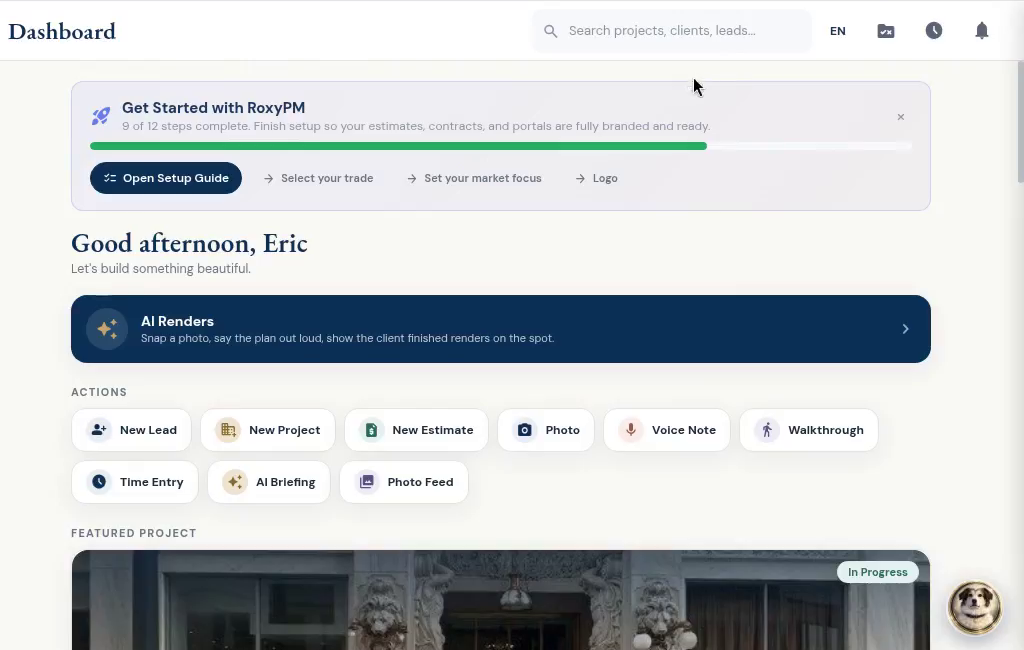
RoxyPM dashboard

RoxyPM

Built by a contractor. For the work you actually do.

Use your own contract templates, terms, payment methods, branding and field-note shorthand. Set follow-ups and task rules for the steps you repeat. Decide when countersigning happens and whether sub payment requests need a signed lien waiver.

See the workflow

RoxyPM

Put it to work on your next job.

14 days free. Cancel anytime.